

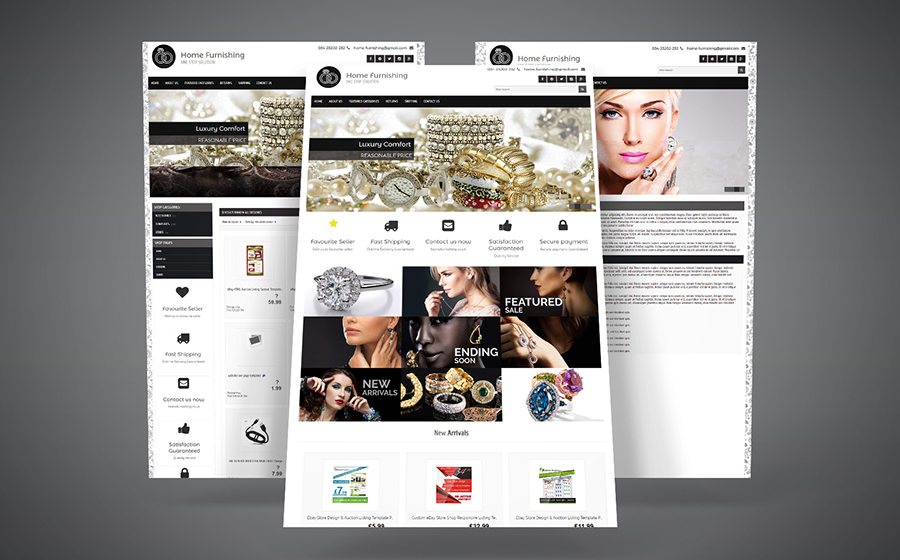

Last updated: August 2026 · By Matt Hall
A free eBay listing template is a block of plain HTML and CSS that you paste into the description field of an eBay listing to control how that description looks. You get one in three ways, all of them free: eBay's own reusable listing templates inside Seller Hub, a free web editor that generates the HTML for you and hands it back as copy-and-paste code, or a downloadable template file from a vendor who hopes you will eventually buy their listing software. All three are covered below, with what each one actually costs once you outgrow the free tier.
The single rule that decides whether any of them will work: eBay does not render active content. eBay's own JavaScript policy says that "active content such as JavaScript, Flash, plug-ins, and form actions are no longer displayed in listings", and if you try to publish one anyway you get an error reading "Disallowed JavaScript/HTML Syntax" and the listing will not go live until you strip it. That has been true since 2017 and it quietly kills a large share of the free eBay templates still floating around on old forum threads and template sites. Every tool on this page was opened on 27 August 2026 and the free tier's real limits were read off the vendor's own page.
It also kills some of the tools. inkFrog was one of the best known eBay template products for years, and pages recommending it still rank. Type inkfrog.com into a browser today and you land on a Wix multichannel-selling page: the product is gone, and Frooition now advertises free migration for its former customers. That is why this page verifies rather than lists - a roundup written from memory recommends dead software with total confidence.
One disclosure: nothing here is an affiliate link and we earn nothing from any of these tools. Scepter builds ecommerce and marketplace storefronts for a living, so the bias to watch for is the opposite one - we would rather you knew when a free template is genuinely enough, because the sellers who need a designer already know it.
What's in this guide
At a glance
| Theme | Price | Best for | Last updated |
|---|---|---|---|
| eBay Seller Hub listing templates | Free, with no paid tier - Seller Hub itself is free to use. Read from eBay's help centre on 27 August 2026. | Every eBay seller, before installing anything else - especially anyone retyping the same shipping and returns text | Maintained by eBay; help article current on 27 August 2026, including eBay Live bulk listing from a template. |
| Droopify free eBay templates | Free, with no account required for either the gallery or the editor. The wider Droopify dropshipping platform runs a 14-day free trial. Read from droopify.co on 27 August 2026. | A designed, policy-safe description in about five minutes, with no signup | Actively maintained: seasonal templates for Black Friday, Christmas and each season were live on 27 August 2026, copyright 2026. |
| Dewiso eBay Template Editor | Free - "Use for free. No costs", "Create unlimited listings". Ceiling: the free version offers 1-column and 2-column layouts only. No pricing page exists, so there is no paid tier to quote. Read from dewiso.com on 27 August 2026. | Building a template from scratch and walking away with the raw HTML | Live on 27 August 2026: editor loaded, starter templates rendered, device previews worked, and it links to current eBay help articles. |
| Sellercore free eBay templates | Free, with free registration for the full editor, plus free image and HTML file hosting. A Premier tier sits above the free library and is unpriced on the site. Read from sellercore.com on 27 August 2026. | The widest choice of ready-made designs, if you are comfortable editing HTML and CSS | Library and editor both loaded on 27 August 2026, but the site's vocabulary is auction-era: long-running rather than actively redesigned. |
| 3Dsellers Listing Template Designer | Free design editor plus a 7-day full-access trial; then $19/month monthly or $16/month annually (Essential, 100 listings), $39.90 or $29.90 (Growth, 500 listings), $79 or $59 (Professional, unlimited). Read from 3dsellers.com/pricing on 27 August 2026, list prices, USD. | A designed template today, if you can see yourself needing bulk listing tools within the year | Actively developed: AI design features and a live interactive demo on 27 August 2026, current pricing page, trading since 2010. |
| Salestio free eBay description templates | Templates free to download, delivered by email. The Salestio platform they are built for starts at $29/month and runs to $79, $199 and $299. Read from salest.io on 27 August 2026, list prices, USD. | Shopify, WooCommerce or BigCommerce sellers who want a category-appropriate description block | Live on 27 August 2026 with nine templates published and current Shopify metafield support documented per template. |
| Frooition Universal template | The Universal starter template is free; Minimal is a library tier and Advanced, Top Seller and Infinity are custom builds. No prices are published at any paid tier - everything is quoted after a discovery call. Read from frooition.com on 27 August 2026. | A brand whose eBay presence has to match a real identity, with a budget conversation to have | Actively maintained - the templates page carried a 26 August 2026 modification timestamp when read on 27 August 2026. |
| BoostOnTime eBay Template Builder | $6.99/month billed monthly, or $4.99/month billed annually at $59.88 for the year; 7-day free trial, unlimited listing updates. Read from boostontime.com on 27 August 2026, list prices, USD. | Outgrowing copy-and-paste HTML without buying a whole listing platform | Live on 27 August 2026 with three themes to preview - Cheesecake, Oceanic and Crystalyst - and a working pricing block. |
| CrazyLister | $20/month for 100 listings and one eBay account paid annually at $240, or $25/month monthly; plans scale with listing and channel count. 7-day free trial, no credit card. Read from crazylister.com/pricing on 27 August 2026, list prices, USD. | Designer-made templates plus the bulk revision to push them across an existing catalogue | Live and trading on 27 August 2026 with a working pricing page, current plan structure and documented cancellation terms. |
| Auctiva | eBay-only plans, prepaid annually: Base+ $9.95/month, Plus+ $16.95, Max+ $24.95. Multi-channel eBay-and-Amazon plans run $16.95 to $84.95. All include a 30-day free trial. Read from auctiva.com on 27 August 2026, list prices, USD. | Templates bundled into listing software, with the longest free trial before paying | Live and trading on 27 August 2026 with a current plan table, AI item attributes, and a stated four-plus years as an eBay Gold Solution Partner. |
1. eBay Seller Hub listing templates
Start here, because almost nobody does. eBay has a built-in template system in Seller Hub that most sellers hunting for "eBay listing templates" never find. Go to Listing templates in Seller Hub, select Create new template, name it for the kind of item it covers, fill in the details you repeat every time, then preview or save. eBay lets you keep up to 50 templates. To use one, pick Create listing from the Actions dropdown and the new listing opens pre-filled. The same dropdown edits, copies and deletes them, though eBay notes that editing a template does not change listings already made from it.
What this gives you is consistency rather than decoration. A saved template carries your category, item specifics, condition wording, shipping settings, returns policy and pricing structure into every new listing, which is where the repetitive work really is. eBay's own framing is the honest pitch: templates "help ensure that you give buyers consistent information across all your listings". If you sell forty near-identical items a week, this is the single biggest time saving available to you, and it costs nothing and installs nothing.
What it does not give you is a designed description - no styled banner, no policy tab strip, no cross-sell gallery. The description is whatever you type into the description field, and if you want that field to look designed you still need HTML from somewhere, which is what the other nine tools here produce. The two are complementary rather than alternatives: an eBay Seller Hub template holding your listing structure, with a policy-safe HTML block pasted into the description field inside it.
One more free eBay tool belongs on any page about templates. eBay publishes an active content checker that tells you whether your existing listings contain the JavaScript, Flash, plug-ins or form actions the platform stopped rendering. If you inherited a template from a previous seller, an old agency or a 2016 forum post, run it through that before assuming it still works. Buyers have not been seeing that content for years.
Price: Free, with no paid tier - Seller Hub itself is free to use. Read from eBay's help centre on 27 August 2026.
Maintained: Maintained by eBay; help article current on 27 August 2026, including eBay Live bulk listing from a template.
Best for: Every eBay seller, before installing anything else - especially anyone retyping the same shipping and returns text
Pros
- Genuinely free, with no paid tier and no third-party account or hosted asset
- Up to 50 saved templates, each carrying category, item specifics, shipping and returns
- Zero policy risk - it is eBay's own tool, so nothing in it can be disallowed active content
- Works with eBay Live bulk listing, so one template can create a run of listings
Cons
- Templates the listing structure, not the look - no visual design layer at all
- Capped at 50 templates, which a large multi-category seller will hit
- Buried in Seller Hub settings, which is why most sellers never find it
See the eBay Seller Hub listing templates demo · Get eBay Seller Hub listing templates on eBay
2. Droopify free eBay templates
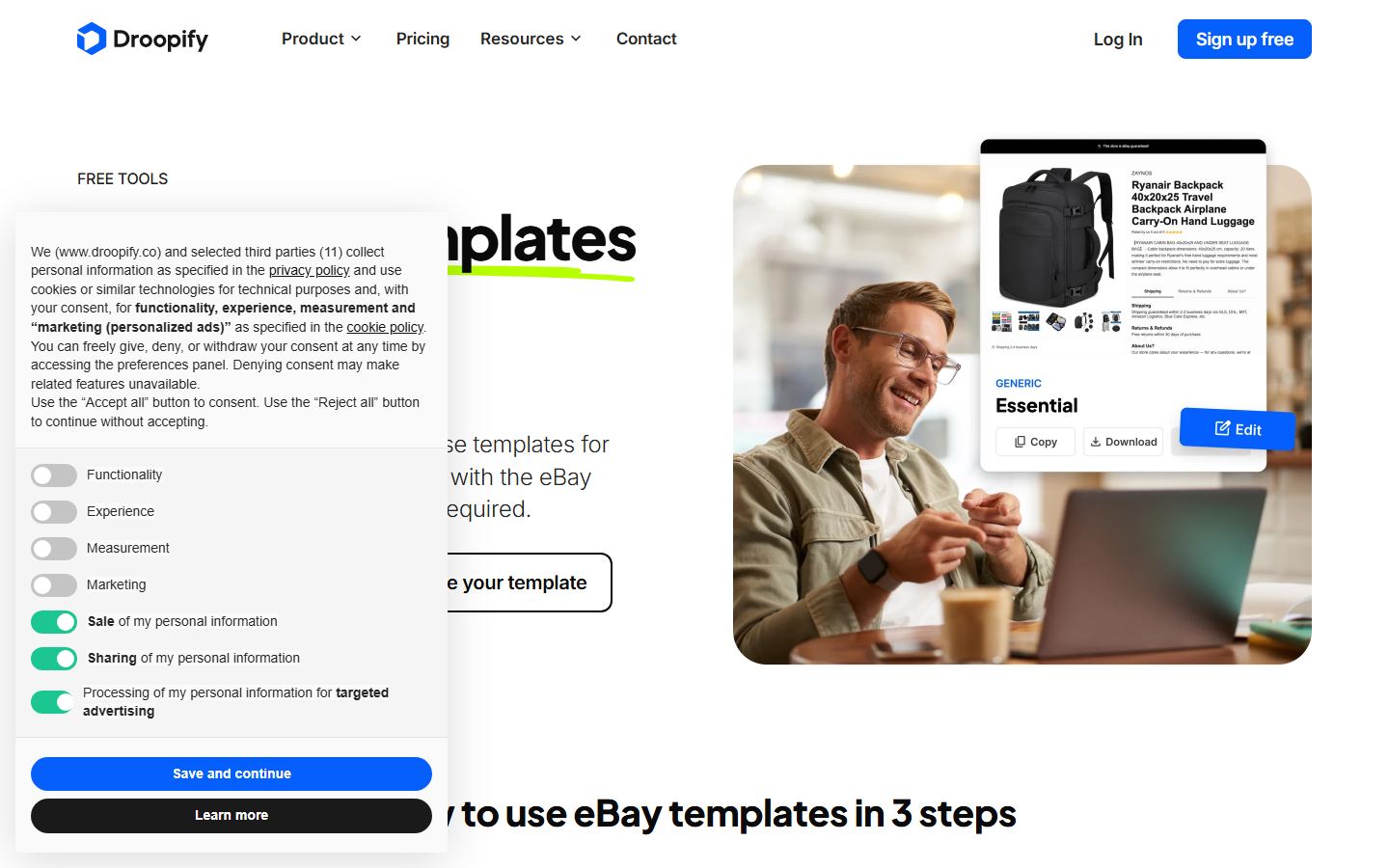
This is the one to try first if you want a designed description today. Droopify's template page headlines 50-plus free templates and the gallery visibly carries a couple of dozen finished designs in two groups: generic styles such as Essential, Minimal, Darkmode, Luxury, Retro, Tech, Fashion and Eco-Friendly, and seasonal ones for Black Friday, Christmas and each season. Every card offers three buttons - Copy, Download, Edit - and none of them asks you to register.
The workflow is three steps and Droopify states them plainly: choose a template, customise it in the drag-and-drop editor, then copy the HTML or download it as an .html file and paste it into your eBay listing description with the description editor switched to HTML mode. That last detail is the step most guides skip and the one that trips beginners: eBay's description box has a visual mode and an HTML mode, and pasting template markup into the visual mode escapes it into gibberish.
The policy claim is the reason this ranks above several older tools here. Droopify states that all its templates are "designed to comply with eBay guidelines: no JavaScript, no prohibited elements, responsive and lightweight layout", and the editor lets you start from a blank canvas as well as from a template. It also says the templates work across every eBay marketplace - ebay.com, ebay.co.uk, ebay.de, ebay.fr and the rest - which matters if you list internationally, because a template is just HTML and does not care which site renders it.
The catch is what the free tool is for. Droopify is an eBay dropshipping platform - order automation, price monitoring, a competitor scanner, a fee calculator - and the free templates are the top of that funnel. That is not a criticism, it is a disclosure: you should expect the trial prompts, and you should know that you can take the HTML and never come back. It also means the templates are built for dropshipping-shaped listings, so if you sell one-off vintage or heavily variant-based stock, expect to do more editing than a catalogue seller would.
Price: Free, with no account required for either the gallery or the editor. The wider Droopify dropshipping platform runs a 14-day free trial. Read from droopify.co on 27 August 2026.
Maintained: Actively maintained: seasonal templates for Black Friday, Christmas and each season were live on 27 August 2026, copyright 2026.
Best for: A designed, policy-safe description in about five minutes, with no signup
Pros
- No account needed for the gallery or the editor, which is rare here
- Copy the HTML or download the file - nothing is locked in a vendor dashboard
- States eBay-policy compliance explicitly: no JavaScript, no prohibited elements, responsive
- Seasonal designs are refreshed, a maintenance signal you can check yourself
Cons
- Free templates are lead generation for a dropshipping platform; expect trial prompts
- Designs suit catalogue listings more than one-off collectible or variant-heavy stock
- Pasted HTML is static - changing a template later means re-pasting every listing
See the Droopify free eBay templates demo · Get Droopify free eBay templates on Droopify
3. Dewiso eBay Template Editor
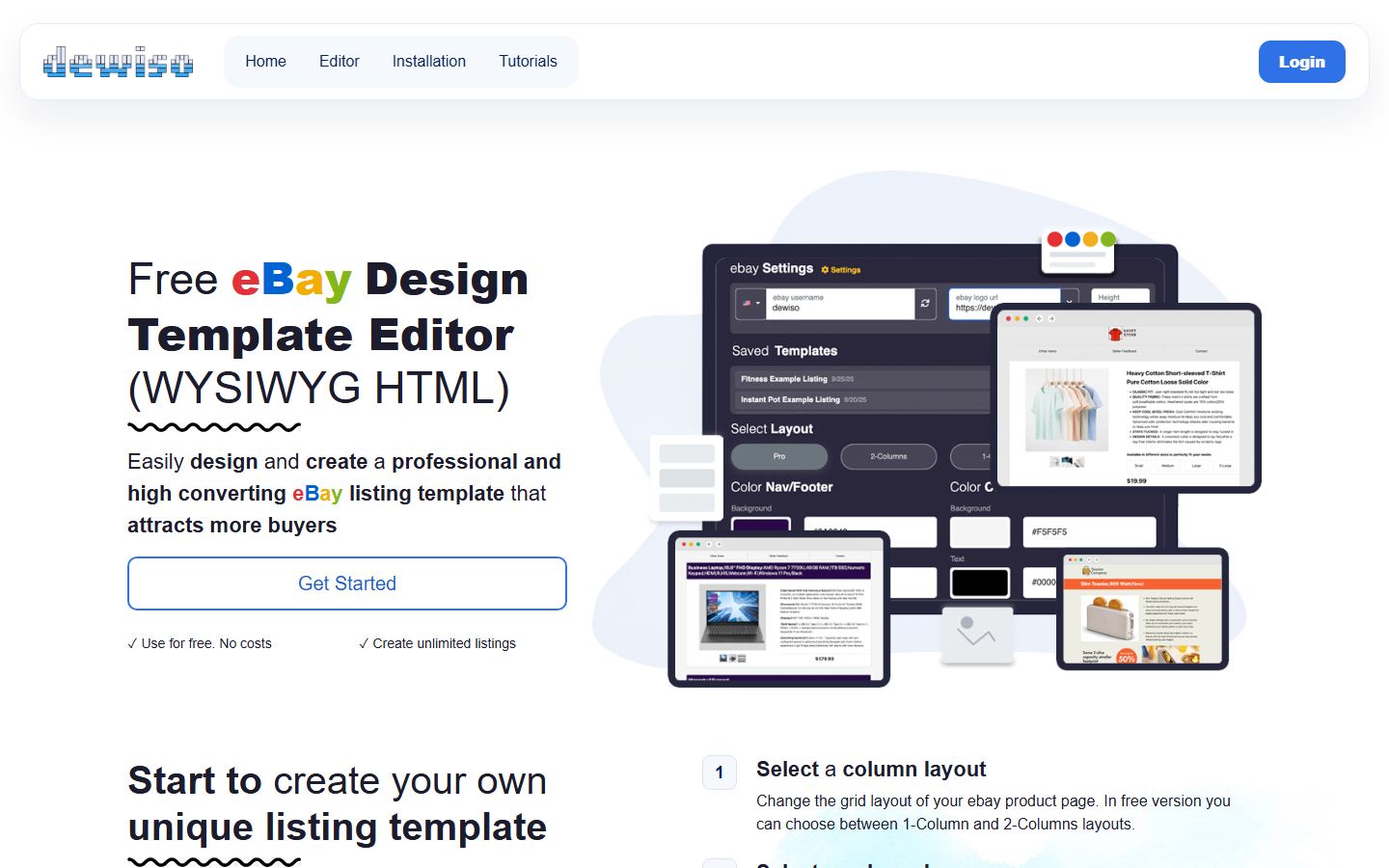
Dewiso is the highest-ranking independent tool on both of the head terms this page targets, and it earns it by doing exactly one thing. It is a WYSIWYG editor that builds an eBay description block and gives you the HTML. There is no platform behind it, no listing software, no dropshipping suite, no subscription to graduate into. You open the page, you build, you copy the code.
The editor gives you a column layout, separate colour schemes for the nav-and-footer and the content area, and a content area you type into directly. Three pre-filled starter templates save time - Fashion, Electronic and Jewelry - or you can start from scratch. When you are done there are two buttons, Copy HTML Code and Download Template, plus a live source panel showing exactly what you are about to paste. A preview switcher renders your work at desktop, iPad and iPhone widths: the check most sellers skip and the one that matters most, since the majority of eBay browsing happens on a phone.
Dewiso also accepts your own HTML. An Insert Own HTML panel takes existing markup and applies the colour controls to it, provided your HTML carries two specific class names - primary-text-color and secondary-color-text. That is a genuinely useful escape hatch if you already have a template you like but cannot recolour it, and it is the only tool here that offers it.
The free tier's ceiling is stated on the page and worth reading before you invest an hour: in the free version you can choose between 1-column and 2-column layouts. That is the constraint. If you want a three-column spec grid or a tabbed policy strip, this is not the tool. Dewiso claims its output is automatically mobile-responsive and "fulfills the ebay selling policies", which is consistent with what the editor produces, but treat any vendor's own policy claim as a starting point and run eBay's active content checker on a live listing before you roll a template out across your whole inventory.
Price: Free - "Use for free. No costs", "Create unlimited listings". Ceiling: the free version offers 1-column and 2-column layouts only. No pricing page exists, so there is no paid tier to quote. Read from dewiso.com on 27 August 2026.
Maintained: Live on 27 August 2026: editor loaded, starter templates rendered, device previews worked, and it links to current eBay help articles.
Best for: Building a template from scratch and walking away with the raw HTML
Pros
- The most focused tool here: build, copy the HTML, leave - no account, no upsell
- Desktop, tablet and phone previews built into the editor at real pixel widths
- Accepts your own existing HTML and applies its colour controls to it
- Three starter templates for fashion, electronics and jewelry, plus a blank canvas
Cons
- Free version allows 1-column and 2-column layouts only, so complex spec grids are out
- No pricing page at all, so there is no documented route to lift that limit
- One-person-scale product with no company detail beyond a legal notice
See the Dewiso eBay Template Editor demo · Get Dewiso eBay Template Editor on Dewiso
4. Sellercore free eBay templates
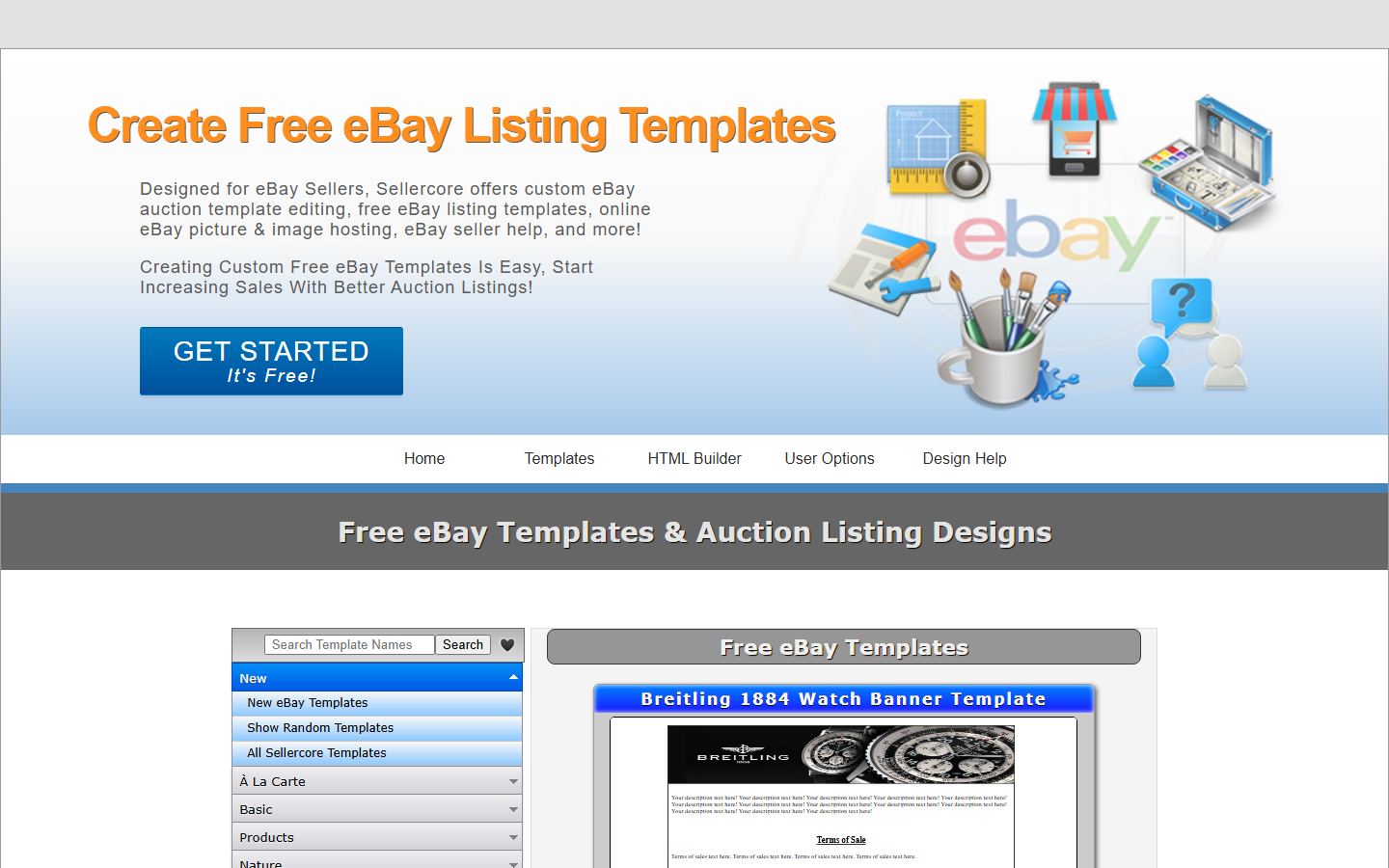
Sellercore has the biggest free library on this page by an order of magnitude. It states over 657 free eBay templates and auction designs, all fully customisable, alongside an HTML editor described as a word-processor-style interface that does the HTML and CSS for you. For advanced users there is direct source editing with syntax highlighting, and a point-and-click CSS builder sits between the two. If your problem is that you want to see a hundred layouts before picking one, this is where to go.
It bundles two things nobody else here offers free: image hosting and HTML file hosting. You can upload and manage listing images with resizing, store template files online, and publish them as public web pages. For a seller with no website, that solves the image-hosting problem that otherwise pushes people towards a paid listing tool. A guest editor loads without registering, which is a fair way to try the interface before handing over an email address.
Now the caution, and it is the reason this sits fourth rather than second. Sellercore's feature list includes image slideshows and hosted extras, and eBay's JavaScript policy names "scrolling item pickers" among its own examples of active content that is no longer displayed in listings. We have not tested Sellercore's implementation, so we are not claiming it breaks - a slideshow can be built in pure CSS and be perfectly fine. We are saying it is exactly the class of feature to verify: build one listing with it, publish it, and run eBay's active content checker before applying the template across your catalogue. The same goes for the library's age: the site's language is from eBay's auction era and a fixed-width 2010 layout reads badly on the phones most eBay buyers use, so favour the simplest, most fluid layouts and preview at 375 pixels wide.
Price: Free, with free registration for the full editor, plus free image and HTML file hosting. A Premier tier sits above the free library and is unpriced on the site. Read from sellercore.com on 27 August 2026.
Maintained: Library and editor both loaded on 27 August 2026, but the site's vocabulary is auction-era: long-running rather than actively redesigned.
Best for: The widest choice of ready-made designs, if you are comfortable editing HTML and CSS
Pros
- By far the largest free library here - over 657 templates and designs
- Free image hosting and free HTML file hosting, which nothing else free here offers
- A guest editor lets you try the interface without registering
- Full source editing with syntax highlighting once you outgrow the visual builder
Cons
- Auction-era vocabulary and library vintage; many layouts predate mobile-first eBay traffic
- Slideshow and hosted extras sit close to what eBay's policy calls active content - verify first
- The Premier tier is unpriced on the site, so the upgrade cost is unknown until you ask
See the Sellercore free eBay templates demo · Get Sellercore free eBay templates on Sellercore
5. 3Dsellers Listing Template Designer
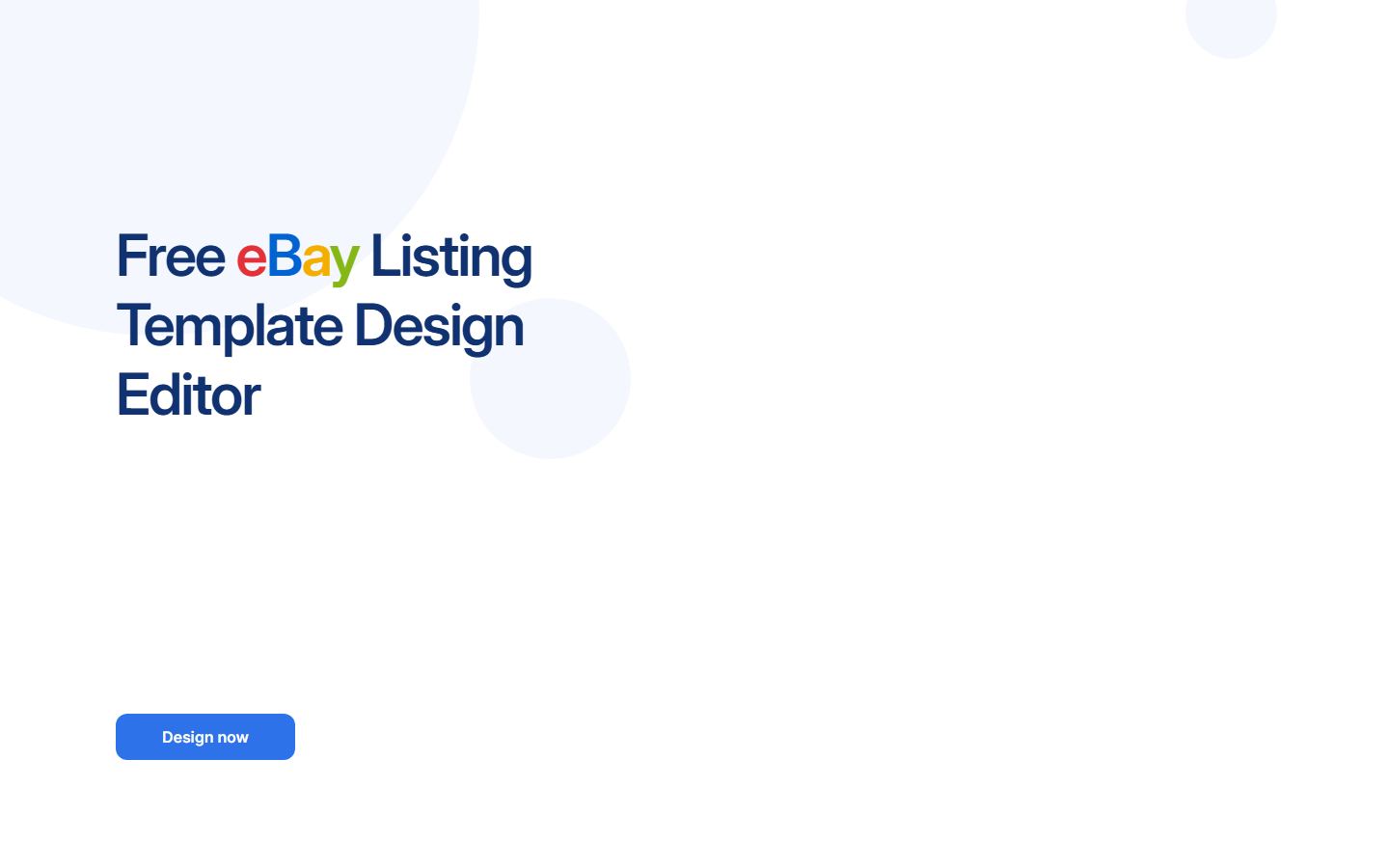
3Dsellers publishes the most polished free design editor in this list. The page is titled Free eBay Listing Template Design Editor, it is no-code and WYSIWYG, and it ships an interactive demo you can drive on the page before you sign up for anything - it renders a sample listing with a product description block, an item pictures block and an About Us block so you can see the structure a finished template actually has. The template library page counts more than 40 designs across product categories.
Two capabilities here are genuinely different from the free-only tools above. The first is the one-click update: 3Dsellers applies changes across all your listings that use a template, which is the single biggest ongoing cost of running templates at all. Paste HTML into 200 listings by hand and every future change is 200 edits; a tool that owns the template turns that into one. The second is cross-selling inside the template, which puts your other items in front of a buyer who is already reading a description.
Both of those live above the free line, and that is the honest way to read this entry: the design editor gets you a template, while the features that make templates maintainable at scale are part of the paid platform. There is a 7-day trial with unlimited access, so you can measure whether the one-click update is worth the money against your own listing count before deciding.
The arithmetic is simple enough to do in your head. If you run 40 listings and change your returns wording twice a year, the free editor and a manual paste is fine and you should not pay anything. If you run 400 listings and touch your policy strip quarterly, $16 a month buys back several hours every quarter and pays for itself the first time you use it. That threshold, not the design quality, is what should decide this one.
Price: Free design editor plus a 7-day full-access trial; then $19/month monthly or $16/month annually (Essential, 100 listings), $39.90 or $29.90 (Growth, 500 listings), $79 or $59 (Professional, unlimited). Read from 3dsellers.com/pricing on 27 August 2026, list prices, USD.
Maintained: Actively developed: AI design features and a live interactive demo on 27 August 2026, current pricing page, trading since 2010.
Best for: A designed template today, if you can see yourself needing bulk listing tools within the year
Pros
- The most polished free design editor here, with an interactive demo before signup
- One-click update across every listing using a template - what makes templates sustainable
- Cross-sell blocks inside the template put your other stock in front of a reader
- Trading since 2010, with current pricing and current AI features
Cons
- The features that justify the tool - bulk update, cross-sell, AI - sit above the free line
- Essential caps at 100 listings, which a real store passes quickly
- Best prices need annual billing, so the honest monthly entry price is $19
See the 3Dsellers Listing Template Designer demo · Get 3Dsellers Listing Template Designer on 3Dsellers
6. Salestio free eBay description templates
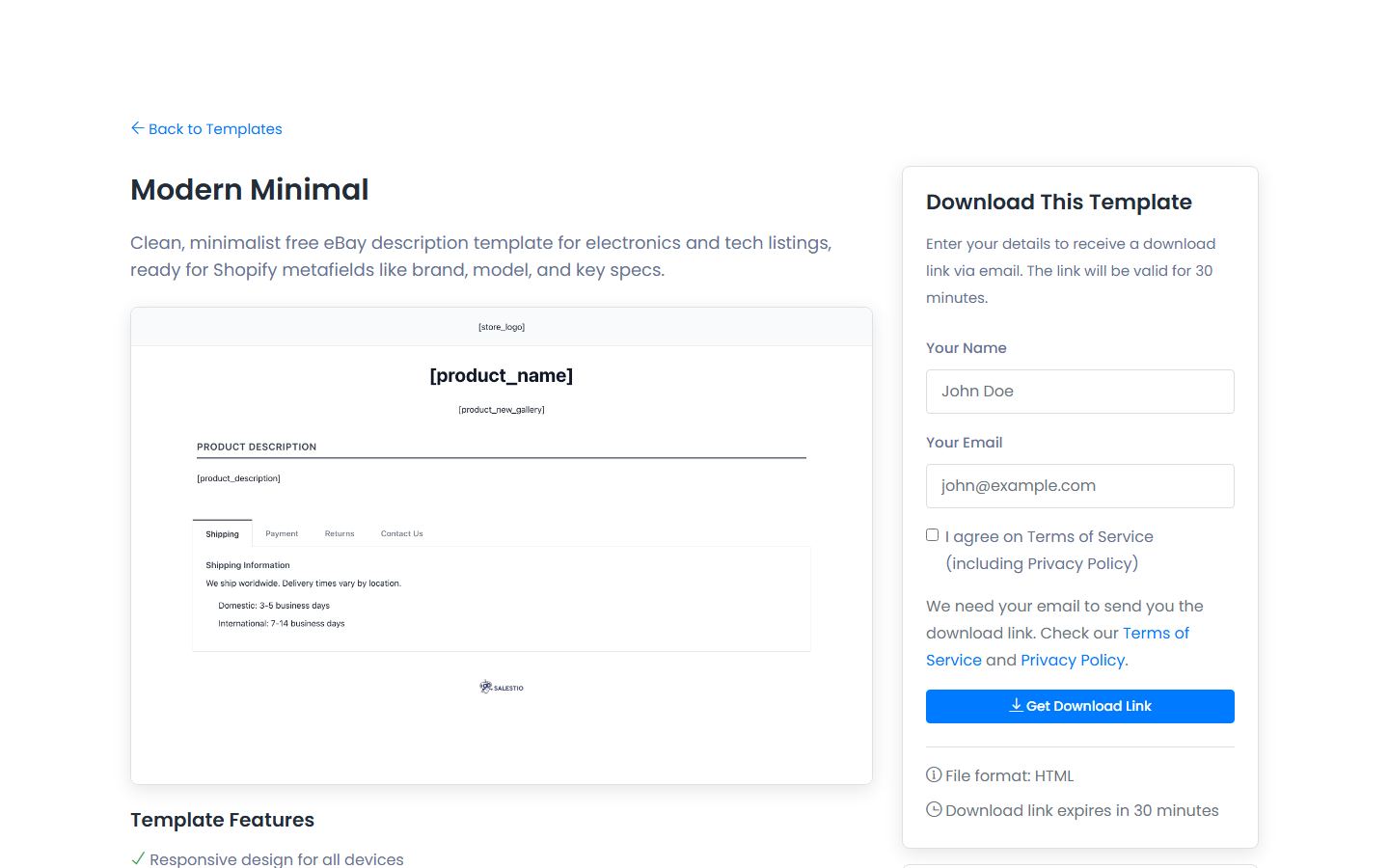
Salestio takes a different angle from everything else here: instead of one flexible editor, it publishes nine finished description templates aimed at specific product categories. Modern Minimal is built for electronics and tech, Professional Business for B2B products and services, Elegant Fashion for clothing and accessories, Bold Colorful for toys and lifestyle, Classic Traditional for antiques and collectibles, plus Sports and Fitness, Home and Garden, Automotive, and Handmade Crafts. Each one is a download rather than an editor session, and the file arrives by email.
The category framing is more useful than it sounds. An antiques listing needs era, condition notes and provenance; an automotive listing needs OEM numbers, fitment and compatibility; a handmade listing needs materials, personalisation and processing time. Salestio pre-builds those fields into the layout, so the template prompts you for what your buyer actually asks about instead of leaving a generic three-box design to fill however you like. For a seller who struggles to write descriptions at all, that structure is worth more than the styling.
The templates are built to be driven by Salestio's variables - Product Name, Product Description, Product Price, Product Qty and Product Image - which the platform swaps for real product data when it pushes a listing to eBay. Salestio also states the templates work standalone, so you can take the HTML, fill it in by hand and never touch the platform. Read that as the deal on offer: free structured templates, in the hope that you eventually want the store-to-marketplace sync they are designed for.
Do not confuse the templates with the platform. Salestio is marketplace integration software for Shopify, WooCommerce and BigCommerce stores, not a template tool, and it is the most expensive thing referenced on this page. Nobody should buy it for the templates. If you already run a store on one of those three platforms and you list the same catalogue on eBay by hand, that is the case where it is worth pricing; otherwise take the free HTML and go.
Price: Templates free to download, delivered by email. The Salestio platform they are built for starts at $29/month and runs to $79, $199 and $299. Read from salest.io on 27 August 2026, list prices, USD.
Maintained: Live on 27 August 2026 with nine templates published and current Shopify metafield support documented per template.
Best for: Shopify, WooCommerce or BigCommerce sellers who want a category-appropriate description block
Pros
- Nine category-specific templates that prompt for the fields those buyers actually ask about
- Templates work standalone - fill the HTML in by hand and never touch the platform
- Variable support means the same template can be automated later without a redesign
- Prepared for Shopify metafields, which saves real work when syncing a Shopify catalogue
Cons
- Delivered by email, so you hand over an address for a free file
- Nine fixed designs and no editor - what you download is what you get
- The platform behind it starts at $29/month, the highest entry price here
See the Salestio free eBay description templates demo · Get Salestio free eBay description templates on Salestio
7. Frooition Universal template
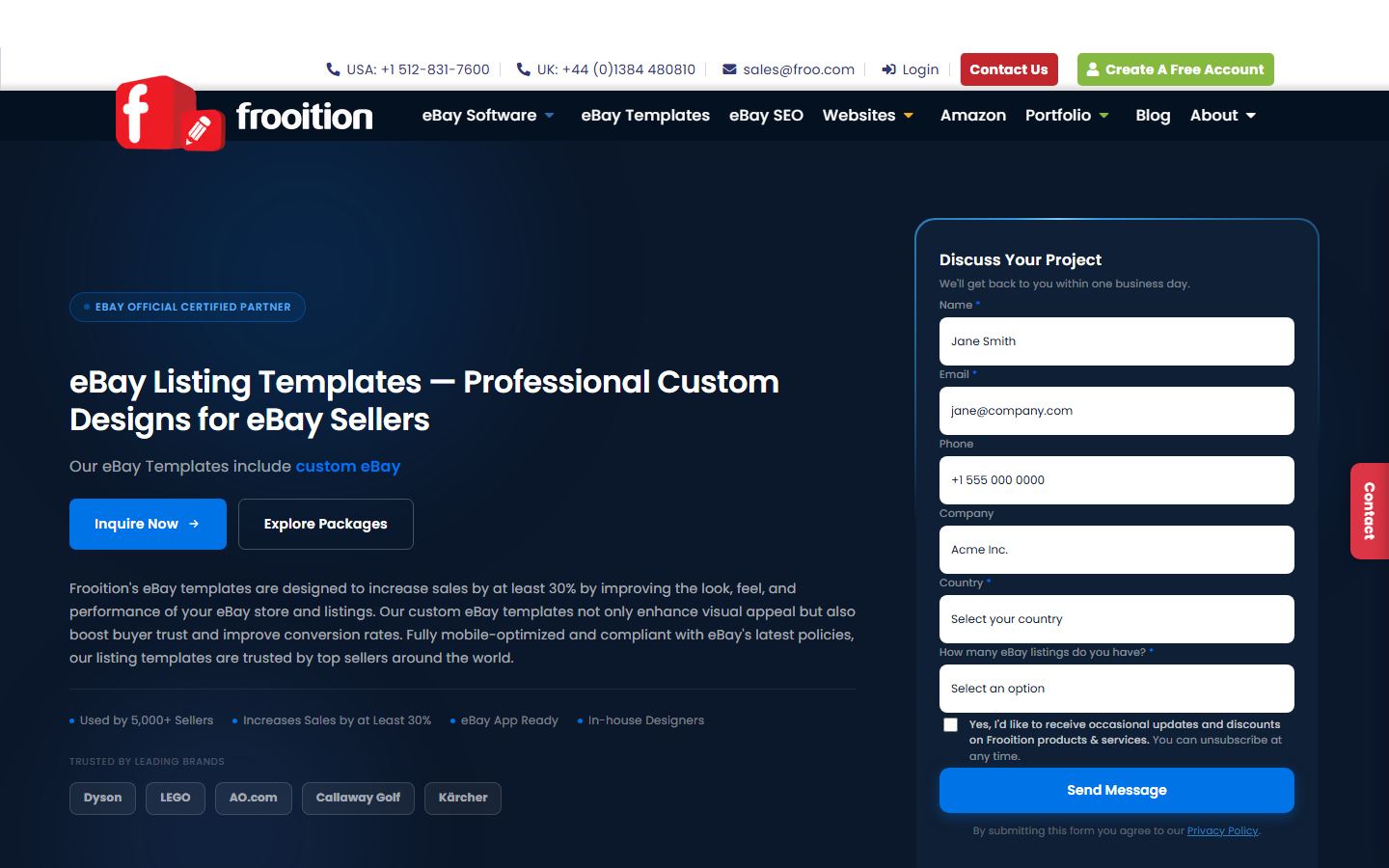
Frooition is the agency end of this market and it is on a free-templates page for a specific reason: the bottom rung of its ladder, the Universal template, is free. Its own feature matrix runs from "the free Universal starter template up to fully bespoke multi-store Infinity builds", with Minimal a library tier and Advanced, Top Seller and Infinity custom design work. If you want to see what a professionally built eBay template contains before deciding what to pay for, that matrix is the clearest map of the category on this SERP.
The credibility here is checkable rather than claimed, which is unusual. Frooition publishes live client examples you can click through to real eBay listings - LEGO, Dyson, AO.com, Callaway Golf, Kärcher, Oxfam, Cambridge Audio, eBuyer and Mark's Electricals among them. Whatever you make of the marketing, those are real storefronts running real Frooition templates, and clicking two or three of them is a faster education in what a top-tier eBay design looks like than reading any roundup, this one included.
The process is a design engagement, not a download: a discovery call, custom mockups, your feedback and revisions, a build-and-test pass across devices and browsers, then the template applied to your live listings. Frooition publishes no package prices at any tier. We looked - the dollar figures visible on its homepage are product prices inside a dashboard mockup, not package pricing, which is exactly the sort of thing an automated price scraper would happily publish as fact. Paid Frooition pricing is quote-only and you will not know your number until you ask.
Frooition is also the natural landing place for a specific group of readers: former inkFrog customers. inkfrog.com now redirects to a Wix multichannel selling page, and Frooition advertises free migration for people switching from it. If you arrived at this page because your inkFrog templates stopped working, that is your shortest route back to a working setup - although it is worth trying the free options above first, because a solo seller with 50 listings does not need an agency build.
Price: The Universal starter template is free; Minimal is a library tier and Advanced, Top Seller and Infinity are custom builds. No prices are published at any paid tier - everything is quoted after a discovery call. Read from frooition.com on 27 August 2026.
Maintained: Actively maintained - the templates page carried a 26 August 2026 modification timestamp when read on 27 August 2026.
Best for: A brand whose eBay presence has to match a real identity, with a budget conversation to have
Pros
- A genuinely free Universal starter template at the bottom of a documented five-tier ladder
- Live client examples on real eBay listings - LEGO, Dyson, AO.com, Oxfam - that you can inspect
- eBay Official Certified Partner, 20 years trading, page updated the day before we checked
- Free migration path for former inkFrog customers, the specific gap this market has
Cons
- No published prices at any paid tier - everything above the library is quote-only
- A design engagement takes weeks; nothing here is a five-minute fix
- Overkill for a small seller: 50 listings does not justify a custom build
See the Frooition Universal template demo · Get Frooition Universal template on Frooition
8. BoostOnTime eBay Template Builder
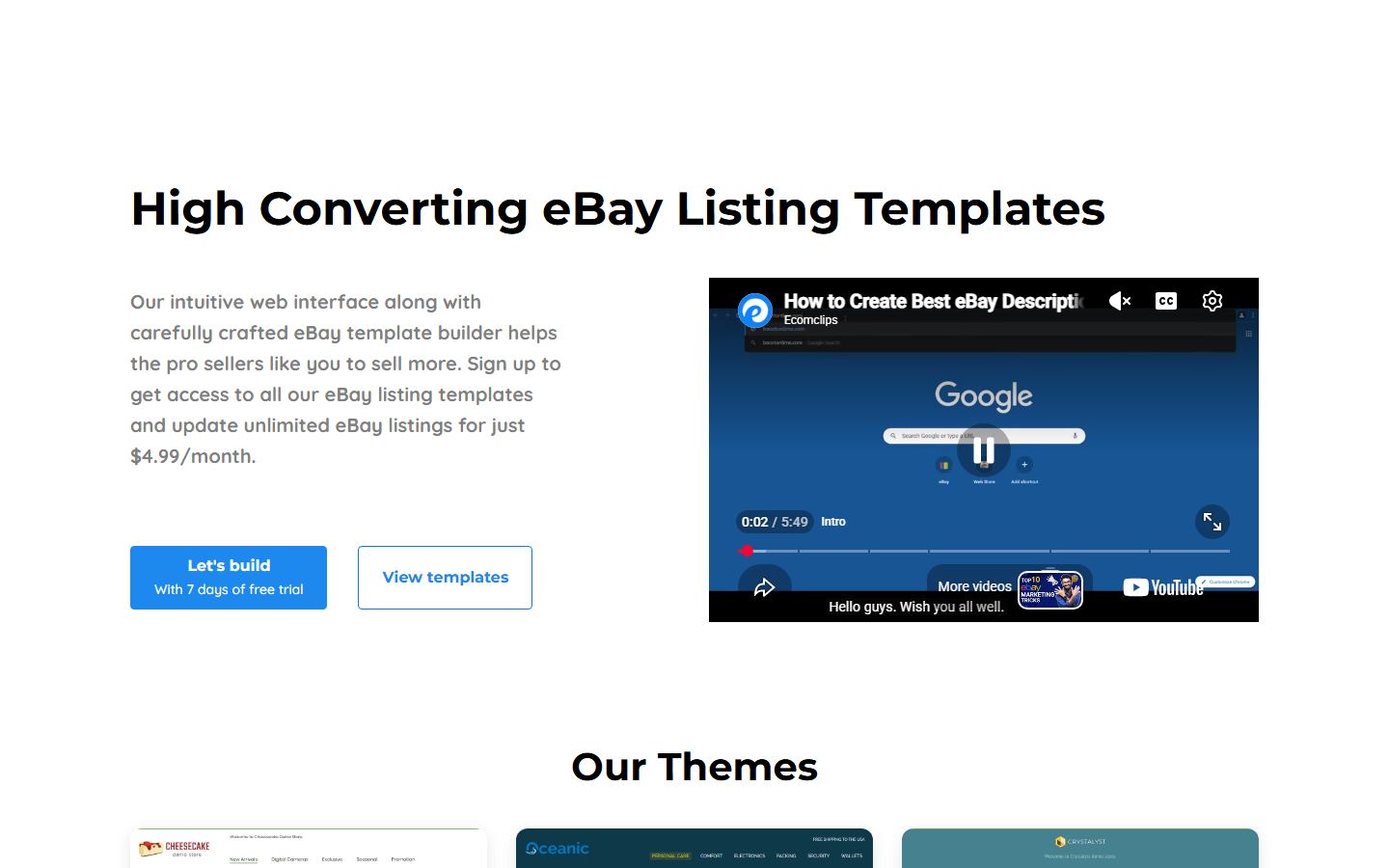
This is the cheapest paid option on the page and it occupies a useful gap. BoostOnTime sells one thing: a template builder that applies responsive templates across unlimited eBay listings and keeps them updatable. It is not listing software, not a dropshipping suite and not a multichannel platform, so you are not paying for forty features to get one.
The architecture is the interesting part, and BoostOnTime documents it clearly enough to reason about. Some modules are static and stored inside the template - your logo, greeting message, menu, helpful links, a why-us block, mini banners, wide banners and store policy tabs. Others are dynamic and pulled from your live eBay listing when the template is applied: product title, price, currency, product images, related products with their prices, and your eBay category list. That split is what makes a template maintainable. Change your returns policy once in the static block and it propagates; the per-item detail keeps coming from eBay itself.
It also tells you where the edges are. Because the static modules live inside the template, different policies or product lines need different templates - BoostOnTime says so directly, recommending you create multiple templates if you need multiple settings. That is fine and normal, but it is a real workflow constraint worth knowing before you build one giant template and discover it does not fit half your catalogue.
Three themes are available to preview - Cheesecake, Oceanic and Crystalyst - with a request path for fully custom responsive design work on top. Seven days free is enough to build a template, apply it to a handful of listings and check the result on a phone. If it works, five dollars a month is close to a rounding error against eBay fees on even a small store; if it does not, you have lost a week and nothing else.
Price: $6.99/month billed monthly, or $4.99/month billed annually at $59.88 for the year; 7-day free trial, unlimited listing updates. Read from boostontime.com on 27 August 2026, list prices, USD.
Maintained: Live on 27 August 2026 with three themes to preview - Cheesecake, Oceanic and Crystalyst - and a working pricing block.
Best for: Outgrowing copy-and-paste HTML without buying a whole listing platform
Pros
- The cheapest managed option here at $4.99/month annually, or $6.99 monthly
- Clear static-versus-dynamic split: policy text updates once, item detail comes from eBay
- Unlimited eBay listing updates rather than a listing quota
- Seven-day trial is long enough to build a template and see it on a real listing
Cons
- Only three themes to start from, the fewest of any option here
- Static modules live in the template, so multiple policy sets mean multiple templates
- Confusing price display - $4.99 is annual-only and the $6.99 plan totals $83.88 a year
See the BoostOnTime eBay Template Builder demo · Get BoostOnTime eBay Template Builder on BoostOnTime
9. CrazyLister

CrazyLister sits between the free editors and the agency builds, and its pitch is the one that matters most to an established seller: it does not just make a template, it revises your existing listings in bulk to carry it. Every plan includes a drag-and-drop editor, designer-made mobile-responsive templates, personalised tabs, a cross-sell gallery, bulk revision, support for all eBay sites and more than 30 third-party integrations.
It is also explicit about the constraint this entire page is built around. CrazyLister advertises its templates as "100% active content compliant", which is the correct thing for a template vendor to lead with in 2026 and something several competitors leave you to work out for yourself. If you are migrating away from a template that stopped rendering - and every seller who used a pre-2017 design has been through this - a vendor putting compliance in its feature list rather than its small print is a reasonable signal.
Pricing is banded by listing count and channel count, and CrazyLister publishes a worked example rather than a table you have to interpret. Annual payment is optional and saves 20 percent, you can upgrade, downgrade or cancel at any time with no contract, and they state they notify you before you exceed a plan limit rather than charging you through it - which is worth having in writing.
The trial terms are the most generous on this page for evaluating a paid tool: seven days free with no credit card required. That is enough to import your listings, apply a template and bulk-revise a test batch, which is the only way to find out whether the bulk revision actually works against your particular catalogue. Do that test before you pay, because bulk revision against a real inventory is where these tools either earn their subscription or reveal that your listings are less uniform than you thought.
Price: $20/month for 100 listings and one eBay account paid annually at $240, or $25/month monthly; plans scale with listing and channel count. 7-day free trial, no credit card. Read from crazylister.com/pricing on 27 August 2026, list prices, USD.
Maintained: Live and trading on 27 August 2026 with a working pricing page, current plan structure and documented cancellation terms.
Best for: Designer-made templates plus the bulk revision to push them across an existing catalogue
Pros
- Bulk revision pushes a template across an existing catalogue instead of manual re-pasting
- States 100% active content compliance explicitly, which is the right thing to lead with
- Seven-day trial with no credit card, so evaluating it costs nothing but time
- No contract, and a warning before you pass a plan limit rather than a charge
Cons
- At $20 to $25 a month for 100 listings it is four to five times the cheapest option here
- Pricing scales with listing count, so a growing catalogue moves you up bands
- The 100,000-business figure is a vendor claim with no published basis
10. Auctiva
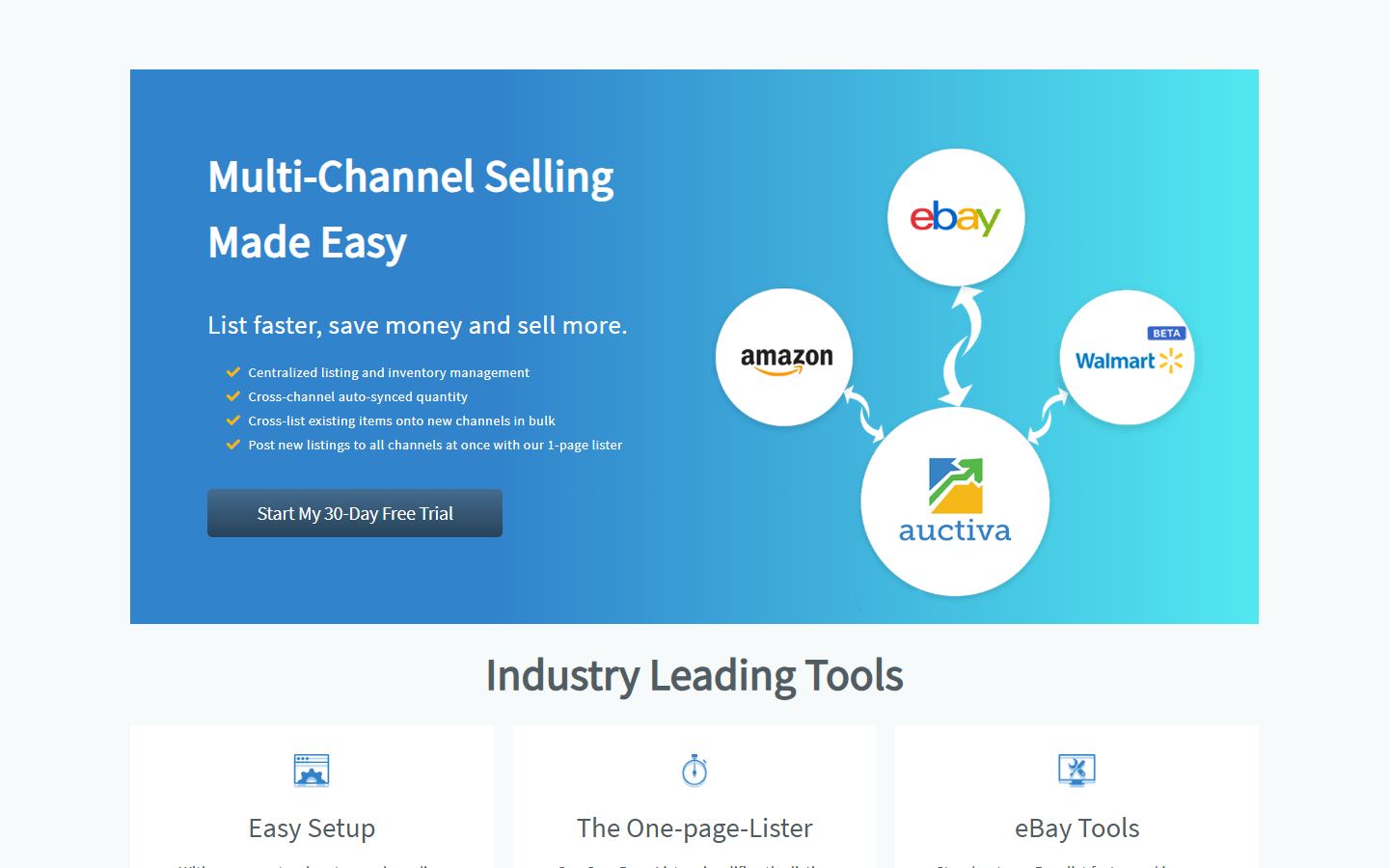
Auctiva is the oldest name here and the one where templates are a feature rather than the product. It is multi-channel listing and inventory software, and its eBay tools include more than 300 unique listing template designs, a one-page lister, an auto-lister, image hosting with a mobile app, CSV bulk import and Promoted Listings support. If your real problem is that listing takes too long and your descriptions also look dated, this addresses both at once.
The pricing deserves reading carefully, for two reasons. Every cheap-looking number is annual prepay, and the plans meter GMV as well as listings: Base+ includes 100 listings a month and $1,000 of GMV, Plus+ makes listings unlimited at $2,000 GMV and adds bulk live revision and AI item attributes, Max+ raises GMV to $3,500 and adds chat support, CSV bulk import and email newsletters. That GMV column is the one to check against your own numbers, because a low-volume high-value seller and a high-volume low-value seller land on different plans at the same listing count.
The trial is the best on this page at 30 days, long enough to run a real month of listings through it and see whether the template library and the auto-lister save you time. The 300-plus design library is also the largest paid template selection listed here.
One feature needs flagging on a page about eBay policy. Among the eBay tools Auctiva markets is a Scrolling Gallery, and eBay's JavaScript policy names "scrolling item pickers" among its own examples of active content that is no longer displayed in listings. That does not mean Auctiva's gallery is blocked - the same visual effect can be built in pure CSS and be entirely compliant, and Auctiva has been an eBay solution partner throughout the policy's life, which makes it unlikely they shipped something that does not render. It means verify it: publish one listing with the gallery on, look at it as a buyer on a phone, and run eBay's active content checker. That is a two-minute test and it settles the question for your account rather than in the abstract.
Price: eBay-only plans, prepaid annually: Base+ $9.95/month, Plus+ $16.95, Max+ $24.95. Multi-channel eBay-and-Amazon plans run $16.95 to $84.95. All include a 30-day free trial. Read from auctiva.com on 27 August 2026, list prices, USD.
Maintained: Live and trading on 27 August 2026 with a current plan table, AI item attributes, and a stated four-plus years as an eBay Gold Solution Partner.
Best for: Templates bundled into listing software, with the longest free trial before paying
Pros
- A 30-day trial, the longest of any paid tool here, enough to run a real month through it
- Over 300 template designs bundled with listing, inventory and image-hosting tools
- Base+ at $9.95/month prepaid is the cheapest way into full listing software with templates
- Long-standing eBay Gold Solution Partner rather than a new entrant
Cons
- Every headline price is annual prepay; month-to-month costs more and is less prominent
- Plans meter GMV as well as listings, so sales value alone can move you up a band
- The marketed Scrolling Gallery is the shape of feature eBay's policy names as active content - verify it renders
How to choose
Work in this order and you will not waste an afternoon. First, decide whether you need a template at all or just consistency. If what actually annoys you is retyping shipping, returns and condition wording forty times a week, an eBay Seller Hub listing template fixes that for free today and no third-party tool is involved. Only once that is set up should you ask whether the description itself needs to look designed.
Second, size the job by listing count, because that is the number that decides everything else. Under roughly 50 listings, use a free editor - Droopify or Dewiso - copy the HTML and paste it in by hand. The maintenance cost of re-pasting is small and you should pay nothing. Between 50 and a few hundred listings, the maths flips: a managed tool that updates every listing at once is worth $5 to $20 a month because a single policy change otherwise costs you hours. Above that, or where your eBay presence has to carry a real brand identity, a custom build from an agency like Frooition becomes a reasonable conversation.
Third, check the policy before you check the design. eBay does not render active content: its JavaScript policy states plainly that "active content such as JavaScript, Flash, plug-ins, and form actions are no longer displayed in listings", and attempting to publish one returns "Disallowed JavaScript/HTML Syntax" and blocks the listing until you remove it. eBay's examples of active content include scrolling item pickers, embedded feedback, social sharing icons and currency conversion widgets - which means several features template vendors still advertise sit right on that line. Publish one test listing, view it as a buyer on a phone, and run eBay's own active content checker before you apply anything across a catalogue.
Fourth, test on a phone at 375 pixels wide before you commit, and keep the HTML somewhere you own. A fixed-width template built for a 2012 desktop shows a horizontal scrollbar and unreadable text on the device most of your buyers are holding, and a template that looks superb on your monitor and breaks on a phone is worse than none, because plain unstyled text is always readable. Dewiso builds that preview into its editor; for everything else, publish a test listing and open it yourself. As for keeping the code: inkfrog.com, one of the best-known eBay template products of the last decade, now redirects to a Wix marketing page. Sellers who saved their HTML lost nothing. Sellers whose templates lived only inside the vendor's dashboard lost their design when the product went away.
Finally, be honest about what a template changes. A good one raises trust and makes specifications scannable, which helps conversion on the traffic you already have. It does not affect how eBay ranks you - your title, item specifics, price, shipping terms and seller performance do that - and no vendor's claimed sales uplift should be taken as a promise. If your listings get no impressions, a nicer description is not the fix. Start free, measure the conversion rate on the listings you change, and let that number decide whether to pay for anything.
FAQ
Are eBay listing templates free?
Yes, several genuinely are. eBay's own reusable listing templates inside Seller Hub are free with no paid tier above them and let you save up to 50 templates. Droopify's gallery and drag-and-drop editor are free with no account required. Dewiso's editor is free for 1-column and 2-column layouts. Sellercore publishes over 657 free templates with free registration. 3Dsellers, Salestio and Frooition each offer a free tier - a free design editor, free downloadable templates and a free Universal starter template respectively - as the entry point to a paid product. The paid tools on this page start at $4.99 a month.
Can I use HTML in an eBay listing description?
Yes. eBay's description field has an HTML mode, and pasting template markup into that mode is exactly how every tool on this page is meant to be used. What you cannot include is active content. eBay's JavaScript policy states that "active content such as JavaScript, Flash, plug-ins, and form actions are no longer displayed in listings", and if you try to publish one you get an error reading "Disallowed JavaScript/HTML Syntax" and the listing will not go live until it is removed. Plain HTML and CSS are fine; anything that runs is not.
Why did my old eBay template stop working?
Almost always one of two reasons. Either it contained active content, which eBay stopped rendering in 2017 and removed from existing listings, so the listing still publishes but buyers see nothing where the widget used to be. Or the tool that generated it hosted part of the template - images, CSS or the HTML itself - and that host has gone away. inkFrog is the clearest current example: inkfrog.com redirects to a Wix page today and Frooition advertises free migration for its former customers. Run eBay's active content checker first, because that diagnosis is free and takes two minutes.
Does an eBay template improve my search ranking?
No, not directly, and be sceptical of anyone who says otherwise. eBay ranks listings on title relevance, item specifics, price, shipping terms, sales history and seller performance - not on how the description is styled. What a good template does is improve conversion on the traffic you already receive, and better conversion does feed back into how eBay treats a listing over time. But if a listing gets no impressions, the description design is not the problem and no template will fix it.
What is the difference between an eBay listing template and an eBay store template?
A listing template controls the description area inside an individual item listing, and that is what every tool on this page produces. A store template, sometimes called store design, controls your eBay Store front page, its categories and its branding, and requires an eBay Store subscription. Agencies like Frooition sell both together because a brand usually wants them to match. If you are a solo seller without a Store subscription, the listing template is the only half that applies to you.
Do I need a template for every product category I sell in?
Not necessarily, but plan for more than one. Any template that stores its policy and branding text statically - BoostOnTime documents this behaviour explicitly and recommends multiple templates for multiple settings - will need a second version when a product line has different shipping terms, warranty wording or returns handling. A single flexible layout works fine if your terms are uniform across everything you sell. If they are not, build one template per policy set rather than trying to write conditional text into one.
Is it safe to use a free eBay template from an old forum post or template site?
Check it first, and assume it is stale. Templates circulating on old threads were mostly written before the 2017 active content change, and any using JavaScript, Flash or form actions will either be stripped or fail to publish. They are also usually fixed-width, which reads badly on the phones most eBay buyers use. If you like one, paste it into a current editor - Dewiso accepts your own HTML directly - preview at 375 pixels wide, then publish one test listing and run eBay's active content checker on it.


